

THE AIRIVO JOURNAL / LIFE AT HOME
Same room. A little more possibility.
Dinner is cleared, the overhead lights are off, and there is nowhere else you need to be. A galaxy projector gives that familiar room a new backdrop: a trip into space, a playful setting for family time, or a wash of color for an evening on the couch.
The trick is to give the scene some space. Start with a clear wall or ceiling, keep the rest of the room simple, and choose a setting that suits what you actually want to do. Here are three ways to make the AIRIVO 3D Galaxy Projector part of a night at home.
01 / A new view
A familiar room. A different backdrop.
02 / Family time
A scene worth sharing.
03 / An evening for two
Your music. Your own pace.
01 / A CHANGE OF SCENERY
Take the Living Room Somewhere Else

You do not need to rearrange the furniture to change the feel of the room. Leave your favorite chair where it is, set a drink within reach, and try a space-themed scene on an uncluttered surface. Turn down the overhead lighting so the image has room to stand out.
Once you find a scene you like, use single-video loop playback to stay with it. That small choice makes the projector feel more like part of the setting. You can keep one backdrop while you talk or listen to music, then switch when you are ready for a different view.
02 / TIME TOGETHER
Make Room for a Little Wonder

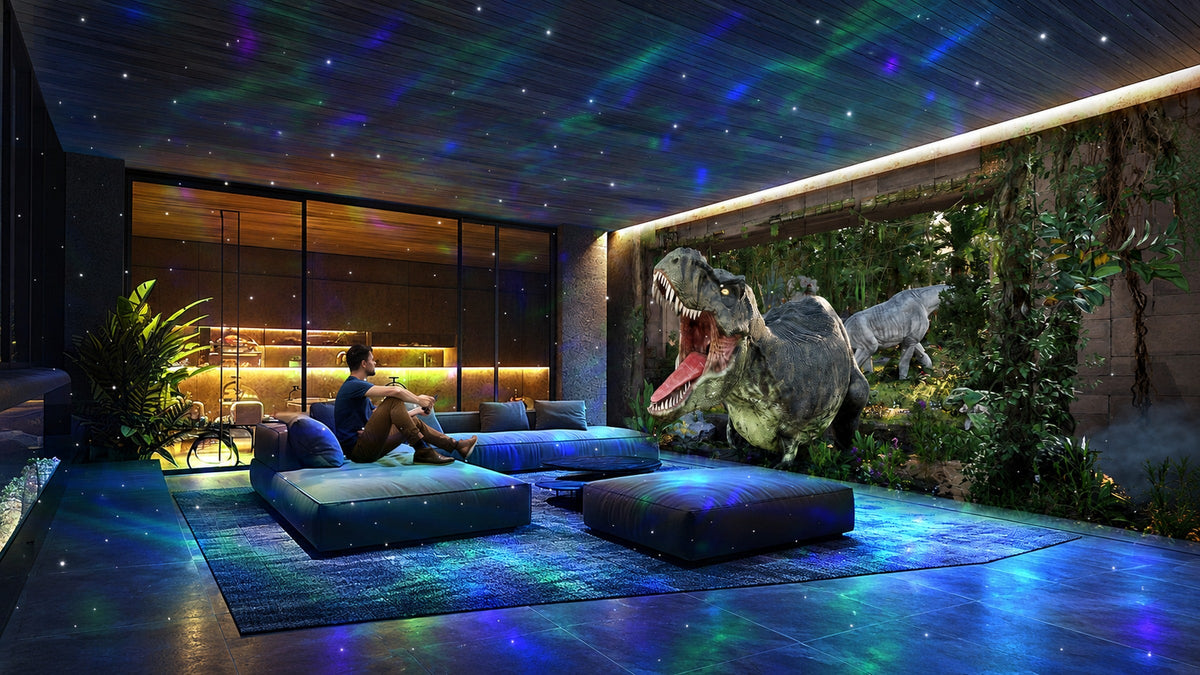
For a family evening, let the scene start the conversation. A dinosaur backdrop can become the beginning of a made-up adventure; a space scene can prompt a round of “Where would we go?” Bring out a few cushions, put phones aside, and let everyone take a turn choosing what comes next.
Keep the setup simple and supervised. An adult should place the projector on a stable surface, manage the power cord, and keep the lens away from anyone’s direct line of sight. Leave enough everyday light for people to move around comfortably.

When There Is Something to Celebrate
For a birthday at home, build the scene around one spot: the cake table or the wall behind the sofa. A birthday-themed backdrop can bring color to the gathering without adding more objects to the room. Keep the cake, faces, and walking paths lit with ordinary lamps so the celebration remains comfortable to enjoy.
03 / AN EASY EVENING
Set the Mood, Then Settle In

For an evening with your partner, begin with the room’s existing colors. A pink-toned scene can sit comfortably alongside warm neutrals; a blue-toned backdrop can give the same sofa a cooler feel. Keep a small lamp on nearby and adjust the projector brightness until the two feel balanced.
Add a playlist if you like. The projector can switch between built-in audio and Bluetooth audio, so you can bring your own music into the setting. Set the volume for conversation, put the remote within reach, and let the room do a little of the hosting.
Bring Your Own Soundtrack

If the evening turns into a small gathering, let the sound and the scene work together. Switch to Bluetooth audio and use your phone for the playlist, then choose a projected backdrop that fits the occasion. Keep the volume at a level where people can still talk, and use the remote when you want a different scene.
Adjust the Light to the Evening

Set the brightness from your usual seat rather than from beside the projector. Aim for a balance between the projected image and any lamps you want to leave on. When the evening has a natural stopping point, use the remote’s 1-hour or 2-hour timer. Separately, the manual specifies a default shutdown after 4 hours of continuous use.
Manufacturer-supplied scene illustrations. The images show styling ideas; visible results depend on room lighting, projection distance, and the surface used.
GETTING STARTED
A Few Minutes of Setup

Start with placement. Use the included power adapter and place the projector on a stable, dry indoor surface. The manual lists a projection distance of 2–3 meters, or roughly 6.5–10 feet; use that as your starting point.
Find the focus. Adjust the projection angle, then turn the focus wheel until the image looks clear on your chosen surface. Check it from the place where you will actually sit.
Choose how it plays. Loop a favorite video, move to the next scene, or select sequential playback to cycle through the videos. Match the playback mode to the kind of evening you have in mind.
Set an end time. The remote offers 1-hour and 2-hour auto-off timers. The manual also specifies an automatic shutdown after 4 hours of continuous operation by default.
For indoor use only. Keep the unit away from water and humidity, and never look directly into the lens. Some operating noise is normal; if using it near bedtime, position it away from the bed.
The most inviting setup does not need much: a comfortable place to sit, a little music if you want it, and a scene you enjoy spending time with. Start with one room and one evening. You can always choose somewhere new tomorrow.
MAKE AN EVENING OF IT
Find Your Next Night-In Backdrop
Take a closer look at the AIRIVO 3D Galaxy Projector, including current product details and availability.
Explore AIRIVO on AmazonBefore You Settle In
Does Bluetooth control the projected scenes?
Bluetooth is for audio playback. To control the projected scenes, use the supplied remote or the controls on the projector.
How do the auto-off settings work?
Use the remote to set a 1-hour or 2-hour auto-off timer. The projector also shuts off automatically after 4 hours of continuous use by default.

Share:
Outdoor Laser Projector Ideas for a Magical Holiday Backyard
Small Nightstand Ideas: Make Room for What Matters